
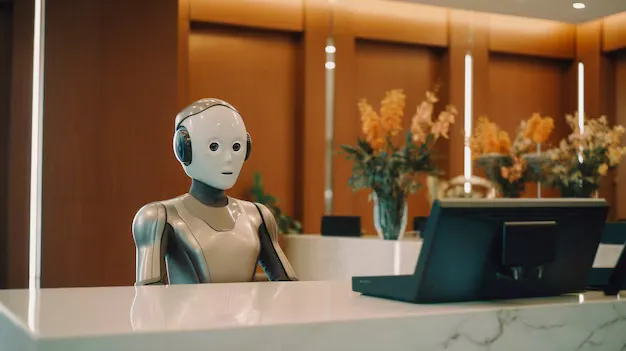
What Is an AI Receptionist and How Does It Work for Business
Introduction
An AI receptionist is a virtual assistant that uses artificial intelligence to answer business calls, respond to common questions, collect caller information, qualify leads, schedule appointments, and direct calls to the right person. Understanding what is an AI receptionist helps small and medium-sized business (SMB) owners see how automated phone answering can manage routine conversations without requiring a staff member to answer every call. Using speech recognition, natural language processing, and business rules, an AI phone receptionist can handle common requests while escalating complex or urgent matters to employees. MarketSurge LLC helps businesses understand how AI-powered communication tools can support lead management and customer service.
What Does an AI Receptionist Do?
An AI receptionist handles routine front-desk communication through a phone system. Unlike a traditional voicemail service, it can participate in a conversation, interpret a caller's request, and respond based on its instructions and available business information.
Its responsibilities can include:
Answering incoming calls: Greets callers and identifies the reason for their call.
Responding to FAQs: Provides approved information about services, operating hours, locations, pricing policies, and business procedures.
Qualifying leads: Collects details such as the caller's name, service needs, location, and preferred appointment time.
Routing calls: Transfers callers to the appropriate department or employee when needed.
Scheduling appointments: Checks connected calendar availability and books appointments according to configured rules.
Recording caller information: Sends relevant details to a customer relationship management (CRM) system or another connected application.
Escalating important requests: Directs urgent, sensitive, or complicated conversations to a human employee.
The exact capabilities depend on the AI platform, its integrations, and the permissions granted by the business. Some systems handle only inbound calls, while others can also support outbound reminders and follow-up calls.
How AI Receptionist Works Step by Step
Understanding how AI receptionist works becomes easier when you look at a typical phone conversation from beginning to end. The system follows a series of steps to understand the request, provide an appropriate response, and record the outcome.
1. The System Answers the Incoming Call
When a customer calls the business number, the phone system routes the call to the AI receptionist. It answers with a greeting configured by the business and invites the caller to explain the reason for calling.
For example, a dental clinic might use a greeting that asks callers if they need to book an appointment, change an existing booking, or speak with the front desk.
2. Speech Recognition Converts the Caller’s Words
The system processes the caller's speech and converts it into information the AI can interpret. Depending on the platform, this may involve automatic speech recognition, speech-to-text processing, and additional language analysis.
The caller can speak naturally instead of selecting options from a long menu. Background noise, unclear speech, unfamiliar names, and strong accents can still affect recognition, so a reliable system should ask for clarification when necessary.
3. AI Identifies the Caller’s Intent
The AI analyzes the conversation to determine what the caller wants. Common intents include asking about a service, requesting a quotation, booking an appointment, checking an existing reservation, or speaking with an employee.
The system uses its instructions, available business information, and conversation context to decide how to respond. It should not invent prices, policies, availability, or service details when the necessary information is missing.
4. The Receptionist Responds or Takes Action
After identifying the request, the system provides an answer or performs an authorized task. It might explain business hours, collect information for a quotation, check an appointment calendar, or initiate a call transfer.
For tasks involving external systems, the receptionist needs the relevant integration and permissions. For example, it cannot reliably confirm a booking simply because a caller requests a time. It must check the connected calendar and receive confirmation that the appointment was created.
5. Caller Details Are Recorded
If the system connects with a CRM or another business application, it can save relevant information from the conversation. This may include contact details, the reason for the call, service interests, appointment information, and follow-up requirements.
The system can also create a call summary or notify a team member. These records help employees understand what happened without asking the customer to repeat every detail.
6. Complex Calls Are Escalated to Staff
Not every conversation should be handled entirely by AI. If a caller requests a person, raises a sensitive concern, describes an unusual problem, or asks something outside the system's approved knowledge, the receptionist should follow the configured escalation process.
Depending on the setup, it can transfer the call, arrange a callback, or collect a message for the appropriate employee. If a transfer fails, the system should explain the available alternatives rather than leaving the caller without a clear next step.
What Is an AI Phone Receptionist Used For?
An AI phone receptionist can support several stages of customer communication, from the first inquiry to appointment confirmation and follow-up.
Automated Phone Answering
Businesses frequently miss calls while employees are serving customers, attending meetings, working on-site, or handling administrative tasks. Automated phone answering allows an AI system to respond to incoming calls based on its configured operating rules.
It can provide approved information, collect messages, and direct callers to the correct team. Depending on the service, it may operate after business hours, during busy periods, or throughout the day.
Lead Qualification
An AI receptionist can ask a series of relevant questions to determine whether an inquiry matches the business's services.
For example, a plumbing company could ask about the type of plumbing issue, the property's location, and the requested service time. A marketing agency might collect the caller's business type, main marketing goal, and preferred time for a consultation.
These details help sales or service teams prioritize inquiries and prepare for follow-up. The AI should collect only information needed for the stated business purpose.
Appointment Scheduling
When connected to a supported calendar or booking system, the receptionist can check available time slots, ask about the caller's preferences, and schedule an appointment.
It may also send a confirmation or trigger a reminder through connected communication tools. Businesses should configure rules for appointment duration, staff availability, rescheduling, cancellations, and booking restrictions.
CRM Updates and Lead Follow-Up
CRM integration connects phone conversations with the business's lead management process. Instead of relying on employees to manually enter every detail, the system can create or update contact records, log calls, and assign follow-up tasks. Businesses can also use strategic CRM integration to connect customer information with sales workflows and keep inquiries organized. For example, after a prospective customer requests a quotation, the AI may record the service requested and notify a sales representative. An approved automation workflow can then send a follow-up message or create a reminder for the assigned employee.
For example, after a prospective customer requests a quotation, the AI may record the service requested and notify a sales representative. An approved automation workflow can then send a follow-up message or create a reminder for the assigned employee.
MarketSurge LLC focuses on business growth tools that bring communication, CRM workflows, and marketing activities closer together, helping businesses organize inquiries and follow-up activities.
AI Receptionist vs. Traditional Receptionist vs. Voicemail
Each option serves a different purpose. The right arrangement depends on call volume, customer expectations, staffing, and the complexity of the business's conversations.
Feature | AI Receptionist | Human Receptionist | Voicemail |
|---|---|---|---|
Answers calls | Automatically, according to configuration | In person or remotely during working hours | Records messages |
Handles common questions | Uses approved information and configured capabilities | Can apply judgment and context | Does not answer questions |
Qualifies leads | Asks predefined or AI-guided questions | Can adapt questions to the conversation | Depends on the caller leaving details |
Schedules appointments | Requires a connected booking system | Can manage bookings using available tools | Usually requires manual follow-up |
Handles complex concerns | Escalates to staff when needed | Can assess and manage many situations directly | Records a message for later response |
Availability | Can operate beyond normal business hours if configured | Depends on staffing and working hours | Usually available when calls are unanswered |
Personal judgment | Limited by instructions, information, and system capabilities | Uses human judgment and experience | Not applicable |
An AI receptionist does not need to replace a human receptionist. Many businesses use both, allowing AI to handle routine calls and initial information gathering while employees focus on personal service, complex requests, and decisions that require judgment.
What Is an AI Voice Receptionist?
An AI voice receptionist is a type of AI receptionist that communicates with callers through spoken conversation. It listens to the caller, interprets the request, and generates a spoken response rather than relying only on text messages or a chat interface.
A typical voice interaction may involve speech recognition, an AI language model or conversation engine, business rules, and text-to-speech technology. Some systems process speech directly through speech-based models.
For example, a caller might say, "I need to schedule a service visit for Friday." The receptionist can identify the scheduling request, check the connected calendar, offer available times, and confirm the booking after the system successfully records it.
Voice quality and conversational ability vary across providers. Businesses should test how well the system handles interruptions, unclear answers, different speaking styles, and requests that fall outside its standard workflows.
Important Features to Look for in an AI Receptionist
Selecting an AI receptionist requires more than checking whether it can answer a call. Business owners should assess how well it fits their daily operations.
Look for these capabilities:
Natural voice conversations: The system should understand common requests and ask clear follow-up questions.
Accurate business information: Administrators should be able to update services, operating hours, policies, and frequently asked questions.
Call routing and escalation: It should transfer calls or arrange callbacks using clear rules.
Calendar integration: It should check actual availability before confirming appointments.
CRM connectivity: It should record caller details, call outcomes, and follow-up tasks in the correct records.
Call summaries and reporting: Managers should be able to review call outcomes, missed transfers, booking activity, and unanswered questions.
Privacy and security controls: The provider should offer suitable access controls, data handling practices, and options for managing recordings and retention.
Reliable fallback procedures: Callers should have an alternative when the AI cannot understand them, an integration fails, or a human employee is needed.
Before deployment, test the system with realistic calls. Include routine questions, appointment changes, unclear requests, urgent situations, and requests to speak to a person.
Is AI Call Answering Suitable for Small Businesses?
AI call answering can be useful for small businesses that receive regular inquiries but cannot dedicate an employee to every incoming call. Service providers, clinics, agencies, property managers, repair companies, and appointment-based businesses may benefit from automated call handling.
Common advantages include:
Fewer unanswered calls: The system can answer calls during configured operating periods when employees are occupied.
More organized inquiries: Caller details and service requests can be recorded consistently.
Better after-hours coverage: Customers can receive approved information or request a callback outside normal working hours.
Reduced repetitive work: Employees may spend less time answering the same basic questions or manually recording routine details.
More consistent lead handling: Standard qualification questions and follow-up rules can reduce variation between calls.
However, results depend on call volume, system quality, integration reliability, and how well the workflows are configured. AI may misunderstand callers, and complex issues can require human attention. Businesses should review call outcomes and customer feedback instead of assuming that automation will automatically improve service.
Frequently Asked Questions
1. How does an AI receptionist answer phone calls?
An AI receptionist receives calls through a connected phone system, processes the caller's speech, identifies the request, and responds using its AI capabilities and configured business information. It can also route calls, schedule appointments, or record messages when the necessary tools are connected.
2. Can an AI receptionist book appointments?
Yes. An AI receptionist can schedule appointments when it has access to a compatible calendar or booking platform. It checks available time slots, collects the required details, and confirms the appointment after the booking system accepts it.
3. Can an AI receptionist transfer calls to a human?
Yes. Many systems support call transfers and escalation rules. They can route callers to specific employees or departments, or collect a message and arrange a callback when a transfer is unavailable.
4. Can an AI receptionist work after business hours?
Yes. Some services can operate around the clock or according to a business's configured schedule. After-hours capabilities depend on the phone setup, subscription, routing rules, and available integrations.
5. Does an AI receptionist replace a human receptionist?
Not necessarily. AI can handle routine inquiries, initial lead qualification, scheduling, and basic call routing. Human employees remain important for sensitive conversations, unusual requests, customer relationships, and decisions that require judgment.
6. Does an AI receptionist integrate with a CRM?
Many AI receptionist platforms connect with supported CRM systems. Depending on the integration, they can create or update contacts, record call summaries, assign follow-up tasks, and attach appointment details. Businesses should verify which actions are supported before choosing a provider.
7. Is an AI receptionist suitable for every business?
Final Verdict
An AI receptionist gives businesses a practical way to manage incoming calls, answer routine questions, qualify leads, schedule appointments, update CRM records, and direct complex requests to employees. Its value depends on accurate business information, reliable integrations, clear escalation rules, and regular performance reviews.
For small and medium-sized businesses, the best starting point is to identify the calls that consume the most staff time and determine which tasks can be automated without reducing service quality. A carefully configured system can handle routine communication while employees focus on work that benefits from human attention.
MarketSurge LLC can help businesses consider how AI phone answering, CRM tools, and automated follow-up fit into their lead management process. To discuss your business needs and identify practical opportunities for automation, contact us and review which calls and workflows are suitable for AI support.