Get a Free SEO Report With Low Hanging Fruit to Get More Website Leads

CRM for Service Businesses With Automated Lead Follow-Up
MarketSurge helps service businesses capture and manage leads, respond faster, and automate follow-up from one CRM. Keep customer conversations organized, nurture leads who are not ready to book, follow up after missed calls, and stay on top of every opportunity without relying on manual reminders.



Manage Leads in One CRM Built for Service Businesses
Calls, texts, forms, and customer details can easily get spread across different tools. MarketSurge keeps them connected, giving your team a clear view of each lead, previous conversations, and the next step. Automated workflows help with lead follow-up, nurturing, reminders, and missed-call responses so fewer opportunities are overlooked during busy days.
Automated Lead Follow-Up That Keeps Opportunities Moving
When a new lead calls, fills out a form, or sends a message, fast follow-up matters. MarketSurge can send an immediate response and continue following up based on the lead’s activity, so your team does not have to remember every next step.
Use automated lead follow-up for new inquiries, estimate requests, missed calls, and leads who need more time. MarketSurge can also send an automatic text after a missed call, helping your business keep the conversation going when no one can answer right away.

Track and Nurture Leads Through Your Sales Pipeline
Not every lead is ready to book after the first call or message. MarketSurge gives your team a clear view of where each opportunity stands, what happened last, and which leads still need attention.
Lead nurturing automation can trigger follow-up messages, reminders, and next steps based on each stage of your pipeline. This helps your team stay consistent, keep longer-term leads engaged, and reduce the chance of good opportunities being forgotten.
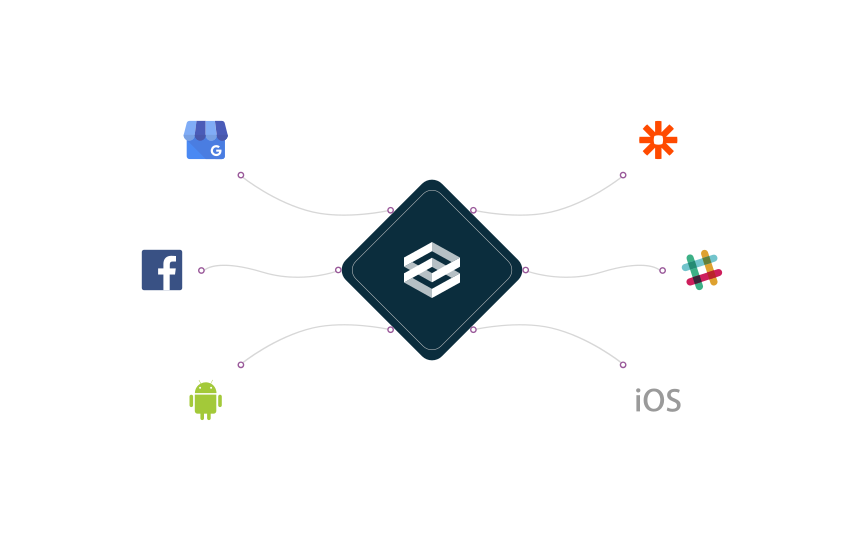
Connect Your CRM With the Business Tools You Already Use
Integrate with your Existing Business Apps to Boost Your Booking Rates
MarketSurge can connect with the tools your business already uses, helping customer information move into one organized follow-up process. Leads from your website, forms, calendars, ads, and other connected apps can flow into the CRM without extra manual steps.
CRM automation can then trigger follow-up, reminders, lead nurturing, or other actions based on what happens next, helping your team keep customer communication connected.
Turn Happy Customers Into More Online Reviews
Getting a great review often comes down to asking at the right time. MarketSurge can make review requests part of your customer follow-up process, so your team does not have to remember to ask after every job or appointment.
Send review requests by text or email, keep feedback easier to manage, and build a more consistent review process that helps future customers feel more confident about choosing your business.
Built for Different Service Business Workflows
Supporting Growth Across Small Business Industries
No two service businesses handle leads in exactly the same way. A home service company may need fast missed-call follow-up, while a clinic may need appointment reminders and a professional service firm may need longer lead nurturing.
At MarketSurge, we're passionate about helping small businesses thrive.
MarketSurge can be set up around the way your business works. Use it to manage inquiries, follow up with leads, keep appointments organized, reactivate past customers, and support repeat business.
From home services and health and wellness businesses to professional services, retail, and other local industries, MarketSurge helps each team build a follow-up process that fits its customer journey.


CRM Tools for Lead Management and Follow-Up
Keep customer conversations, leads, and follow-up easier to manage from one CRM. MarketSurge gives service businesses the tools to respond faster, stay organized, and keep opportunities moving without relying on separate apps or manual reminders.
HERE’S WHAT’S INCLUDED:
Shared Inbox for Lead Management
Keep texts and customer conversations in one shared inbox so your team can see what has already been discussed and which leads still need a response.

Dedicated Business Number
Use one business number for customer calls and messages, giving your team a consistent way to manage communication through the CRM.

Two-Way Text Messaging
Respond to new leads and customers by text from the same CRM. Keep conversations connected to each contact so your team has the context it needs when following up.
Lead and Customer Management
Keep lead details, customer information, conversations, notes, and follow-up activity organized in one place so your team can see what happened and what should happen next.

Follow-Up Message Templates
Create reusable text and email templates for common follow-up situations. Your team can respond faster while keeping customer communication clear and consistent.

Customer Groups and Segments
Organize contacts by lead stage, customer type, service needs, or past activity. Use these groups for more relevant lead nurturing, follow-up, and customer reactivation campaigns.
Recover More Revenue From Leads and Customers You Already Have
Your next opportunity may already be in your CRM. MarketSurge helps you follow up with missed leads, open opportunities, old quotes, and past customers so they do not sit untouched.
Use automated workflows to restart conversations, remind customers about next steps, and bring previous customers back when the timing is right.

Missed Lead Recovery
Reconnect with leads who called, submitted a form, or showed interest but never moved forward.

Quote Follow-Up
Automatically check back after an estimate or proposal instead of waiting for the customer to remember.

Lead Re-Engagement
Bring quiet leads back into the conversation with timely follow-up based on where they stopped in the sales process.

Customer Reactivation
Reach past customers with relevant reminders, service updates, or offers when there is a reason for them to return.

Repeat-Service Reminders
Stay in touch with customers who may be due for another appointment, maintenance visit, or recurring service.

Win-Back Campaigns
Create targeted follow-up for inactive customers instead of leaving older contacts unused in your database.

What Can MarketSurge Help Your Business Do?
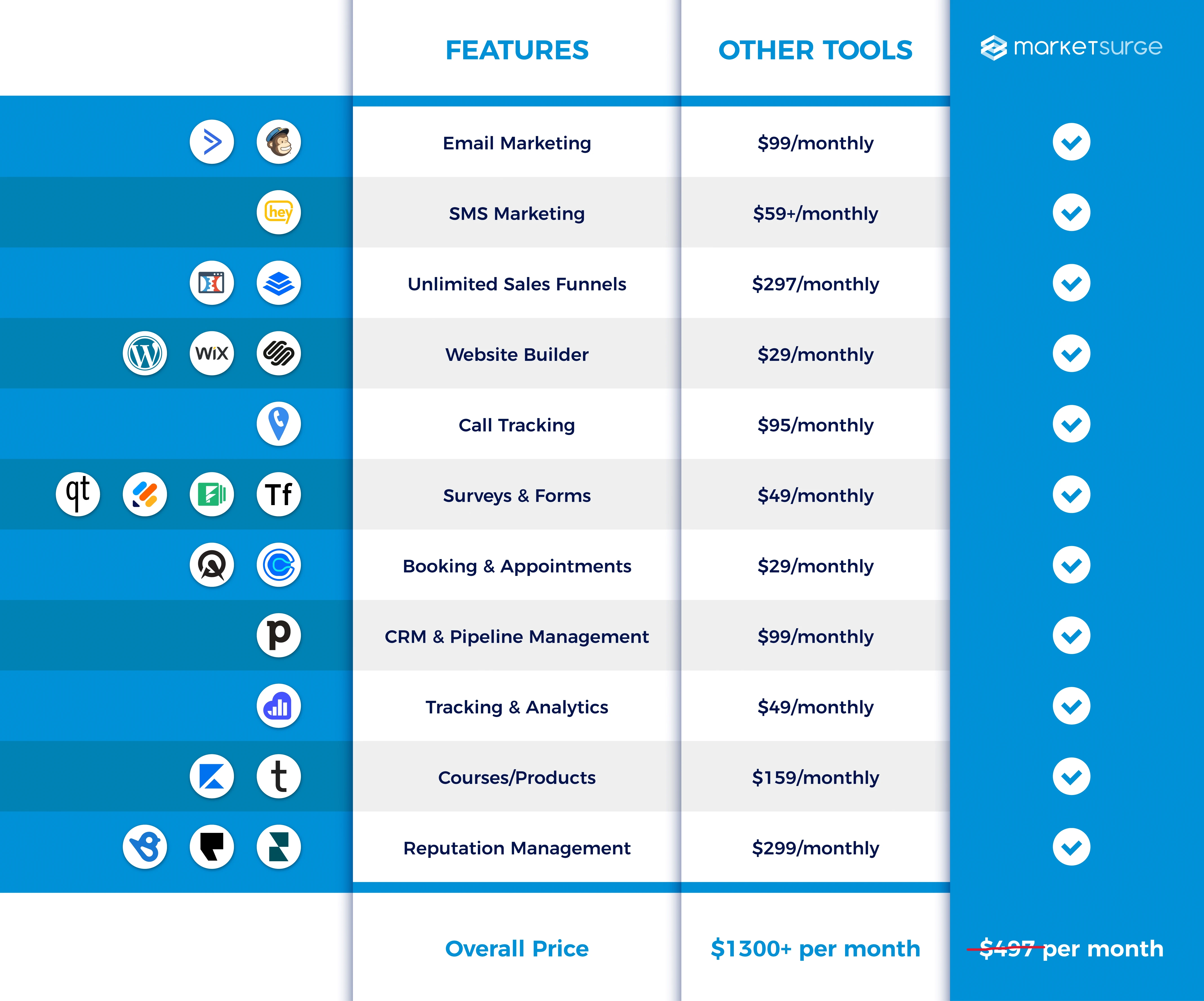
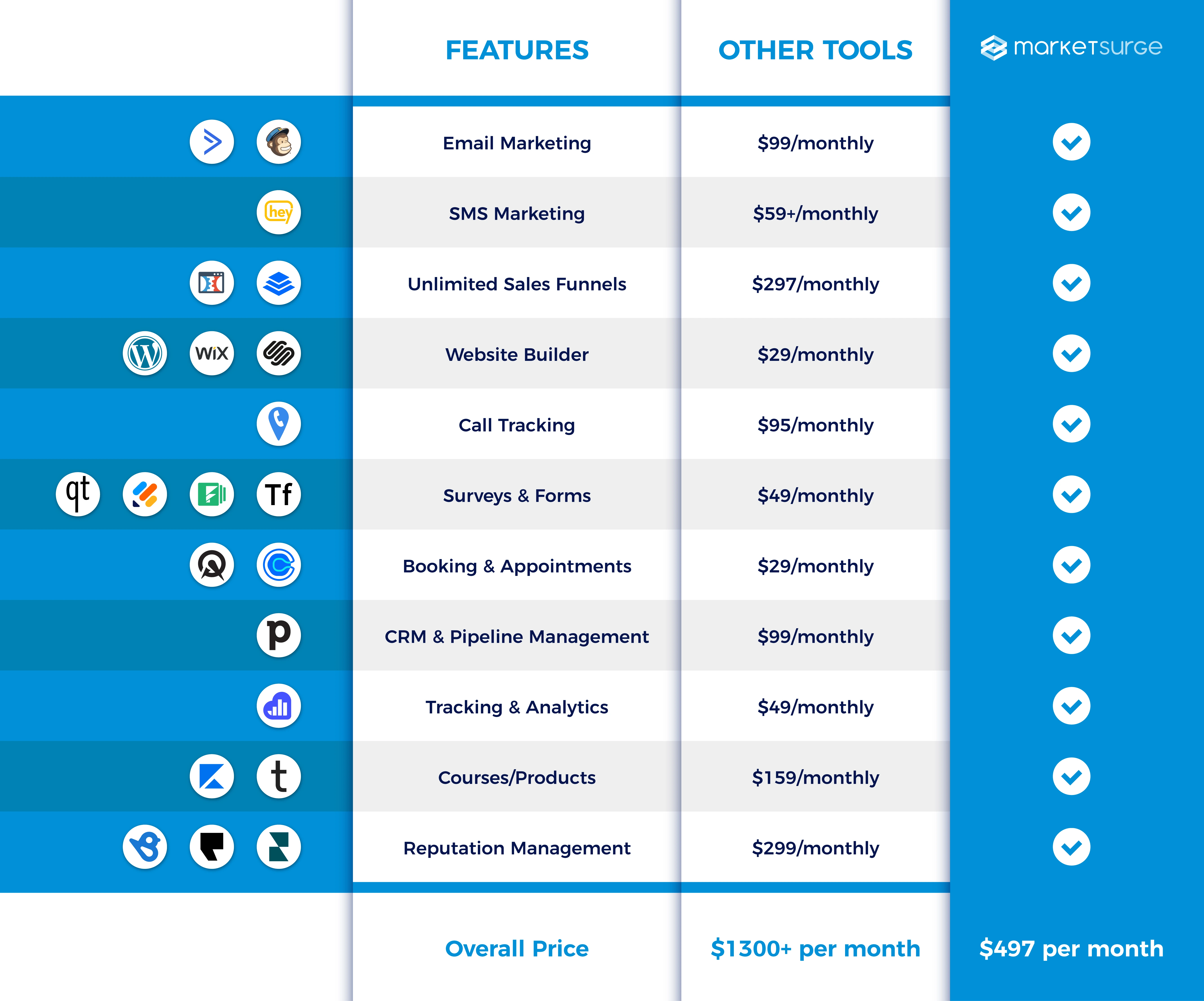
MarketSurge brings lead management, follow-up, customer communication, scheduling, pipeline tracking, reviews, and reactivation into one connected system. Instead of adding more manual work, your team gets a clearer way to manage opportunities from the first inquiry through repeat business.
Respond to leads faster
Follow up without manual reminders
Keep leads organized
Recover missed opportunities
Bring past customers back
Reduce disconnected tools
How MarketSurge Keeps Leads Moving
MarketSurge connects each stage of your follow-up process so your team does not have to manage every step by hand. From the moment someone contacts your business to the point where they book or return later, the CRM helps keep the next action clear.
1. Capture the Lead
New calls, forms, messages, and connected lead sources can flow into MarketSurge so customer details stay organized in one place.
2. Respond and Follow Up
Send an immediate response and continue automated lead follow-up based on the customer's activity. Missed calls can also trigger a text so the conversation does not stop at voicemail.
3. Nurture the Opportunity
Keep leads engaged with relevant follow-up while your team tracks each opportunity through the sales pipeline.
4. Reactivate Past Customers
Use follow-up campaigns and reminders to reconnect with customers who may be ready to book again.
See Our Latest CRM Articles

What Is Lead Follow-Up Automation and How Can It Boost Sales
Learn what is lead follow-up automation and how CRM workflows, email, and SMS help small businesses convert more leads. Improve your follow-up today. ...more
Lead Nurture ,CRM
October 13, 2026•13 min read
The CRM Support Black Hole: Why Your CRM Should Come With a Pulse
If you're investing in local growth, especially in competitive markets like yours, your CRM and SEO must work together. ...more
Small Business ,Productivity &CRM
February 13, 2026

Why Every Jewelry Store Needs a CRM (And Why SMS Changes Everything)
If you're serious about growth, client experience, and protecting your reputation, a modern CRM — especially one with SMS capabilities and full team visibility — isn’t optional anymore. ...more
SMS ,CRM
February 13, 2026
See Where Better Follow-Up Could Help Your Business
See how MarketSurge can help you manage leads, automate follow-up, nurture open opportunities, and reconnect with past customers from one CRM.
Schedule a strategy call and we’ll look at how leads currently move through your business, where follow-up may be slowing down, and which parts of the process could be easier to manage with automation.
Frequently Asked Questions About CRM for Service Businesses
What is a CRM for service businesses?
A CRM for service businesses helps keep leads, customer conversations, follow-up, appointments, and sales opportunities organized in one place. MarketSurge also supports automation, so your team can respond to new inquiries, nurture leads, follow up after missed calls, and stay on top of open opportunities.
How does automated lead follow-up work?
Automated lead follow-up uses CRM workflows to send texts, emails, reminders, or other actions after someone contacts your business.
For example, a new inquiry can receive an immediate response, followed by another message later if the lead has not replied or booked. This helps your team stay consistent without manually sending every follow-up.
What is an automated lead follow-up system?
An automated lead follow-up system connects your CRM with workflows that respond to and nurture leads based on their activity.
It can help with new inquiries, missed calls, estimate follow-up, appointment reminders, and leads who have stopped responding. The goal is to keep opportunities moving without depending on someone to remember every next step.
Can MarketSurge automatically follow up after a missed call?
Yes. MarketSurge can trigger an automatic text when your business misses a call, giving the caller another way to continue the conversation.
This is useful for service businesses where employees may be on a job, helping another customer, driving, or unable to answer the phone right away.
What should I look for in CRM tools with automated follow-up for missed calls?
Look for a CRM that can connect missed calls with text messaging, contact records, lead nurturing, and pipeline management.
The follow-up should become part of the same customer journey instead of sitting in a separate call log. This makes it easier for your team to see whether the caller responded and what should happen next.
What is a lead nurturing CRM?
A lead nurturing CRM helps you stay in touch with prospects who are interested but not ready to book yet.
It can use automated texts, emails, reminders, and pipeline actions to continue the conversation over time. This is useful for estimates, longer sales cycles, and leads that need more than one interaction before making a decision.
Can MarketSurge automate lead nurturing?
Yes. MarketSurge can create different follow-up workflows based on the lead's stage, activity, or needs.
A new inquiry, an open estimate, a quiet lead, and a past customer can each receive a different follow-up process instead of the same generic message.
Can MarketSurge help reactivate past customers?
Yes. MarketSurge can create different follow-up workflows based on the lead's stage, activity, or needs.
A new inquiry, an open estimate, a quiet lead, and a past customer can each receive a different follow-up process instead of the same generic message.
How can CRM automation support revenue recovery?
CRM automation can help your business work opportunities that might otherwise be forgotten, such as missed calls, unanswered inquiries, old estimates, quiet leads, and inactive customers.
It does not guarantee extra revenue, but it gives your team a more consistent process for following up with people who have already shown interest in your business.
Can I track leads through a sales pipeline?
Yes. MarketSurge lets you organize leads through different stages of your sales process so your team can see which opportunities are new, active, booked, won, or still waiting for follow-up.
Workflow actions can also be connected to pipeline stages to help automate the next step.
Is MarketSurge suitable for small service businesses?
Yes. MarketSurge is designed for service businesses that need a more organized way to manage leads, customer communication, follow-up, appointments, and sales opportunities.
It can be especially useful when the team is often busy serving customers and cannot manually respond to every inquiry right away.
Is MarketSurge built on GoHighLevel?
Yes. MarketSurge uses GoHighLevel infrastructure and adds its own setup, workflows, CRM automation, AI tools, and support around the platform.
This gives service businesses access to the underlying technology without having to build every workflow and follow-up process on their own.
What Are MarketSurge
Users Saying?

Paul R.


Brea Oakes

Betsy McCue




Join our community for weekly newsletters!
Get expert tips & tools filled with valuable insights, cutting-edge techniques, and time-saving strategies!
(872) 266-3383 | [email protected]


